
Teacher Guide for the Maqare App
Welcome to Maqare Platform! This guide takes you step by step
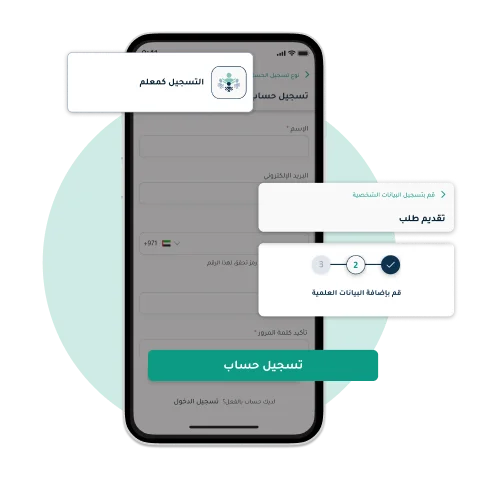
Account Registration and Application Submission

- Open the app and enter your personal information.
- Follow the steps to verify your account.
- Fill in the form with basic information and attach the required certificates.
- Wait for approval.
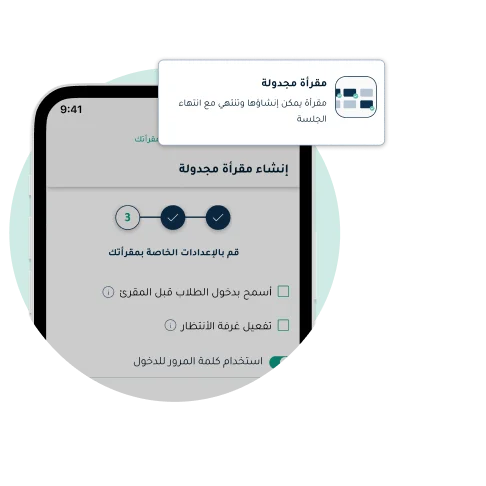
Create Your Scheduled Maqra'a
- Teachers can easily create scheduled Maqareat and set the details and time quickly.
- Click on"Create Maqra'a" in the menu then select"Scheduled Maqra'a", enter all required information, set the time and choose the appropriate settings, after filling all information, Click on"Create the Maqra'a" and the Maqra'a will be created and ready for everyone to join at the scheduled time.
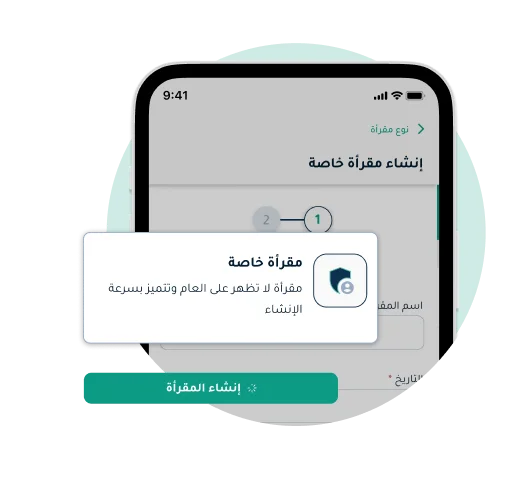
Create Your Private Maqra'a
- Teachers can create private Maqareat and share them, ensuring privacy and full control over attendance type with less setup than a public Maqra'a.
- Click on"Create Maqra'a" in the menu and select"Private Maqra'a", enter all required details, then share the Maqra'a with the people you want to invite — it will only be accessible to you and those you invited.
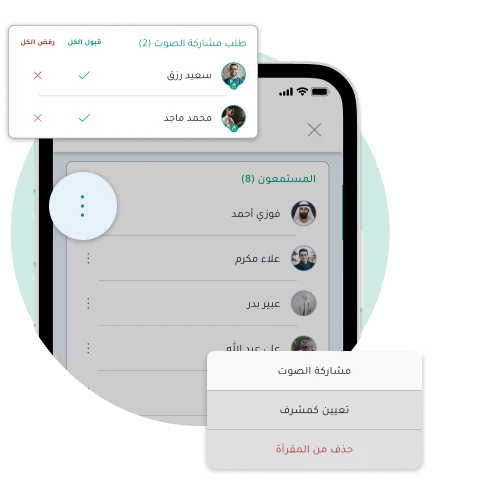
Entering the Maqra'a and Interacting with Students
- Teachers can manage Maqareat easily and effectively, including interaction with students and changing their permissions as needed in simple and flexible ways.
- First click on"Start Session" to enter, then you can review speaking requests from students, accept them, and convert them from listeners to speakers and vice versa with ease.
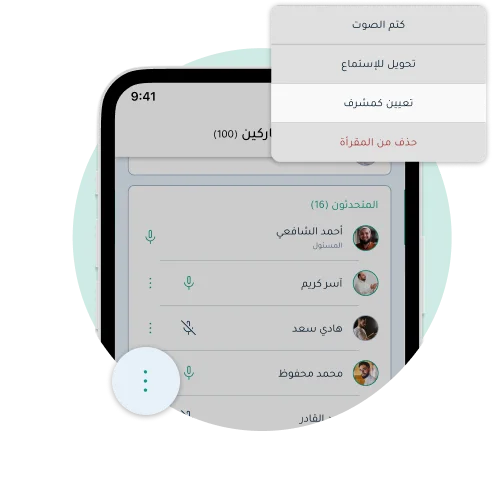
Assigning as Moderator
- You can now assign moderators from among the participants to manage the Maqra'a.
- Click onthe name of the participant you want to assign as moderator, look for the option "Assign as Moderator" and the participant will be assigned as moderator in the session.
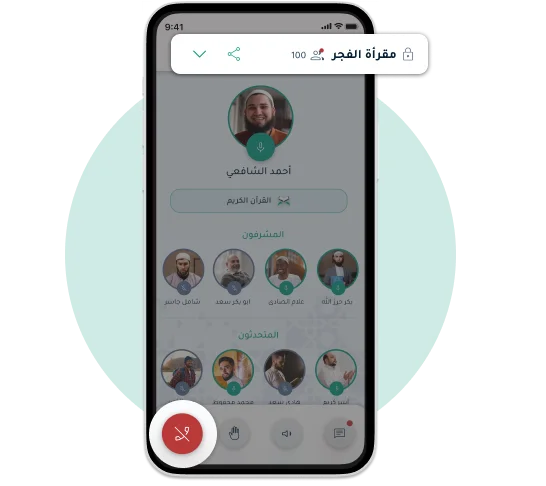
Leaving the Maqra'a
- You can easily leave or end the Maqra'a at any time — simply Click on the option "Leave / Close Maqra'a" .
Download the Maqare App Now!
The best among you are those who learn and teach the Quran
Maqare is an educational platform for the service of the Holy Quran, aimed at helping teachers and charitable organizations dedicated to Quran education, facilitating remote Quran learning to make it available for every Muslim household


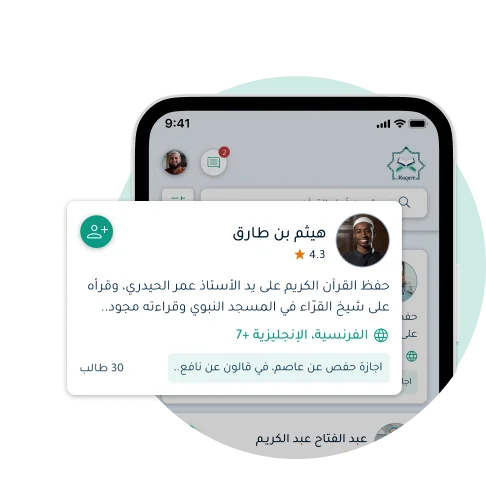
Following Teachers and Viewing Their Profiles
- You can now browse the list of other teachers through the 'People of the Quran' tab and follow them. You will receive notifications when a teacher you follow creates a new Maqra'a.
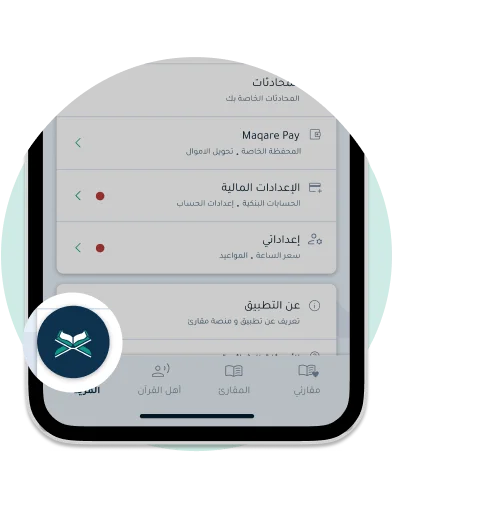
Browsing the Holy Quran Text Within the App
- From within the app, you can easily open the Quran text, and through the Index tab, you can select the Surah, Juz, or page you want.
- You can also minimize the default Quran view and use it during the Maqra'a without any effect on your experience. Enjoy Quran recitation at any time and anywhere with ease through Maqare.
Stay in Touch with Us
This section allows you to contact us with ease. If you have any questions or issues, don't hesitate to reach out via email. We are here to help you and resolve all your problems quickly and effectively.

Stay in Touch with Us
This section allows you to contact us with ease. If you have any questions or issues, don't hesitate to reach out via email. We are here to help you and resolve all your problems quickly and effectively.