
Student Guide for the Maqare App
Welcome to Maqare Platform! This guide aims to help you with registration
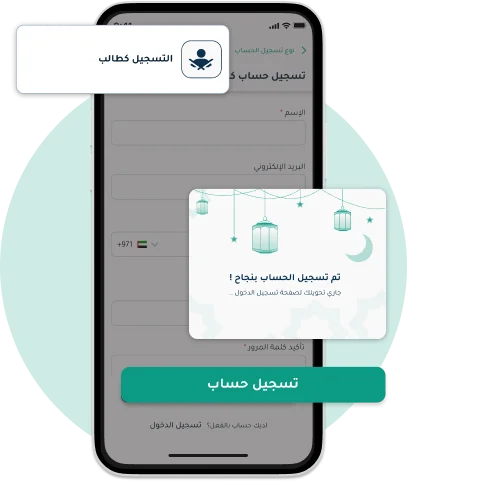
Account Registration

- Open the app, choose "Register Account", then select "Register as Student".
- Enter your mobile number and a secure password in the designated field.
- Tap the button "Register Account" to complete the registration process.
- Once successfully registered, Tap the button "Sign In" to access your account successfully.
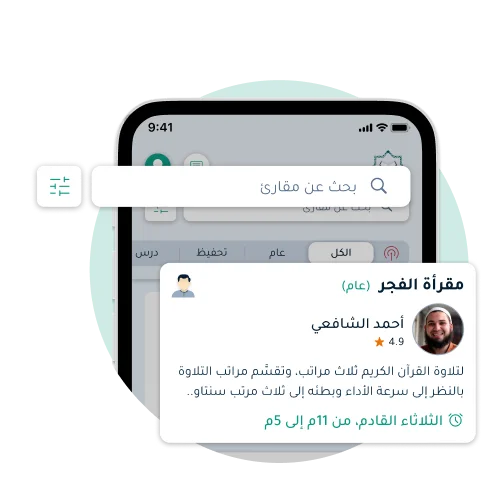
Browsing Maqareat
- Once you Sign In, you'll reach the home page where you can browse all Maqareat categorized by type in different tabs, tap the appropriate tab or use filter options to find what you need.
- You can also go to the dedicated tab for live Maqareat, choose the Maqra'a you want and join instantly.
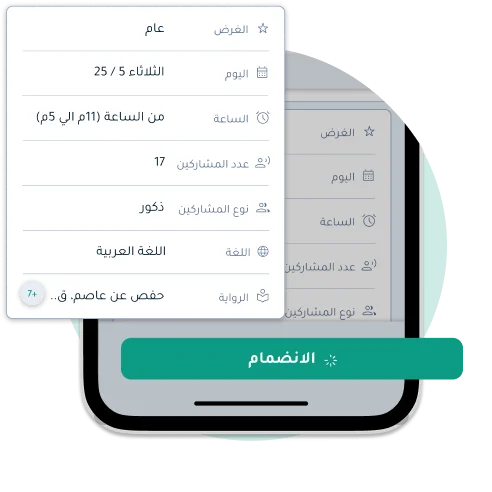
Joining a Maqra'a
- You can easily join the Maqra'a you want by tapping on it to see its details. Review the time and details before joining, then tap the "Join" and you will be redirected directly into the Maqra'a.
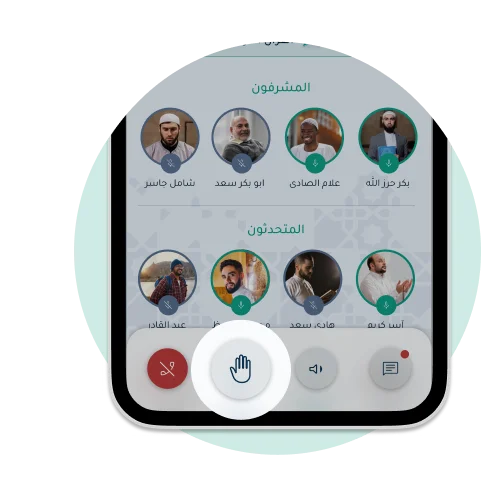
Raising Your Hand to Speak
- Once you Join the Maqra'a, you will be a listener by default. If you wish to speak, raise your hand first.
- Once you raise your hand, a notification will be sent to the teacher that you want to participate. After the teacher grants you permission to speak, you will be moved from the listeners section to the speakers section, and you can then open your microphone and start participating.
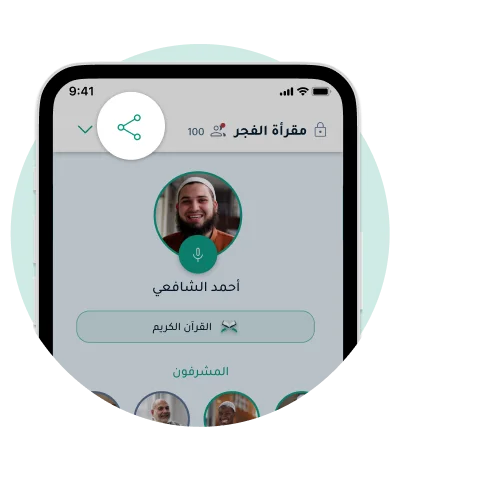
Sharing the Maqra'a
- Once you Join a Maqra'a, you can share it with others. Look for the share icon, tap it, and choose how to share the link. You can also copy and paste the link manually.
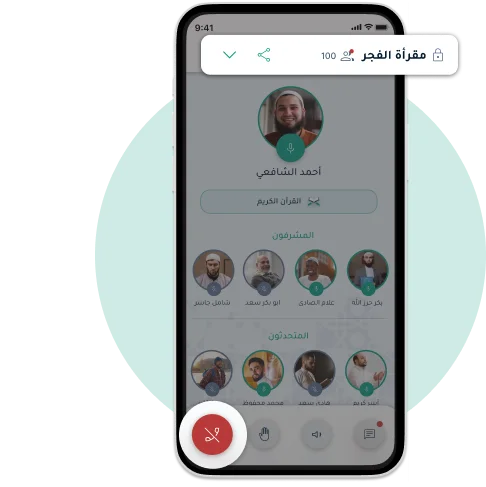
Leaving the Maqra'a
- You can easily leave the Maqra'a at any time without disrupting or affecting other participants.
- Tap the option "Leaving the Maqra'a" and you will leave the Maqra'a without any changes or additional actions.
Download the Maqare App Now!
The best among you are those who learn and teach the Quran
Maqare is an educational platform for the service of the Holy Quran, aimed at helping teachers and charitable organizations dedicated to Quran education, facilitating remote Quran learning to make it available for every Muslim household


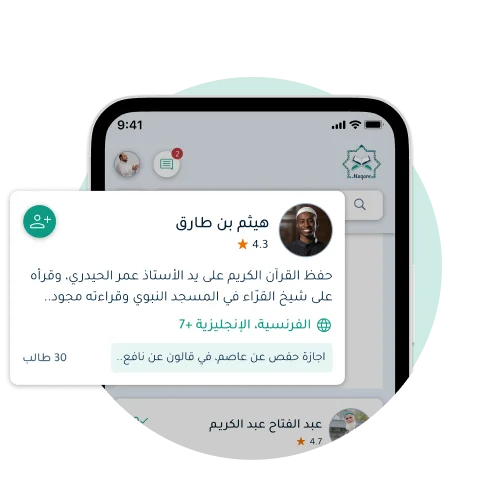
Following Teachers and Viewing Their Profiles
- You can now browse teachers through the 'People of the Quran' tab and follow them. You will receive notifications when a teacher creates a new Maqra'a.
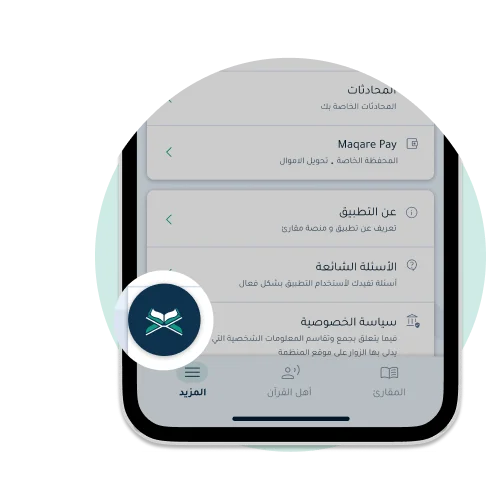
Browsing the Holy Quran Text Within the App
- From within the app, you can easily open the Quran text, and through the Index tab, you can select the Surah, Juz, or page you want.
- You can also minimize the default Quran view and use it during the Maqra'a without any effect on your experience. Enjoy Quran recitation at any time and anywhere with ease through Maqare.
Stay in Touch with Us
This section allows you to contact us with ease. If you have any questions or issues, don't hesitate to reach out via email. We are here to help you and resolve all your problems quickly and effectively.

Stay in Touch with Us
This section allows you to contact us with ease. If you have any questions or issues, don't hesitate to reach out via email. We are here to help you and resolve all your problems quickly and effectively.